
Onboarding that ensures a smooth and successful rollout
Voltn (formerly NetExplorer) supports you from initial configuration to full team autonomy: a dedicated expert, practical training for administrators, and a deployment integrated with your IT infrastructure.

100% European hosting

ISO 9001 certified support
What are the risks of deploying a solution without support?
The success of a new platform isn't determined at installation. It’s determined in the weeks that follow, when teams either adopt it or find ways around it.


A deployed tool is not an adopted tool.
Without guided onboarding, teams revert to their old habits: email attachments, free tools, and USB drives. The shadow IT the platform was meant to eliminate comes back through the back door.

Administrators left to fend for themselves.
Access rights, groups, security rules: if configured incorrectly from the start, a platform can take months to fix. Your point people deserve better than having to work through documentation on their own.

A migration that causes concern.
Leaving an existing tool raises real questions: what happens to the data, the folder structures, and established workflows? Without clear answers, the project stalls.

A project without a pilot.
Deployments involve many stakeholders, including IT, business units, and the service provider. Without a designated coordinator, everyone waits for someone else, and the schedule slips.
The Voltn Onboarding promise
Entrusting you to a dedicated expert
Single project contact.
Train your administrators
Until full autonomy is achieved.
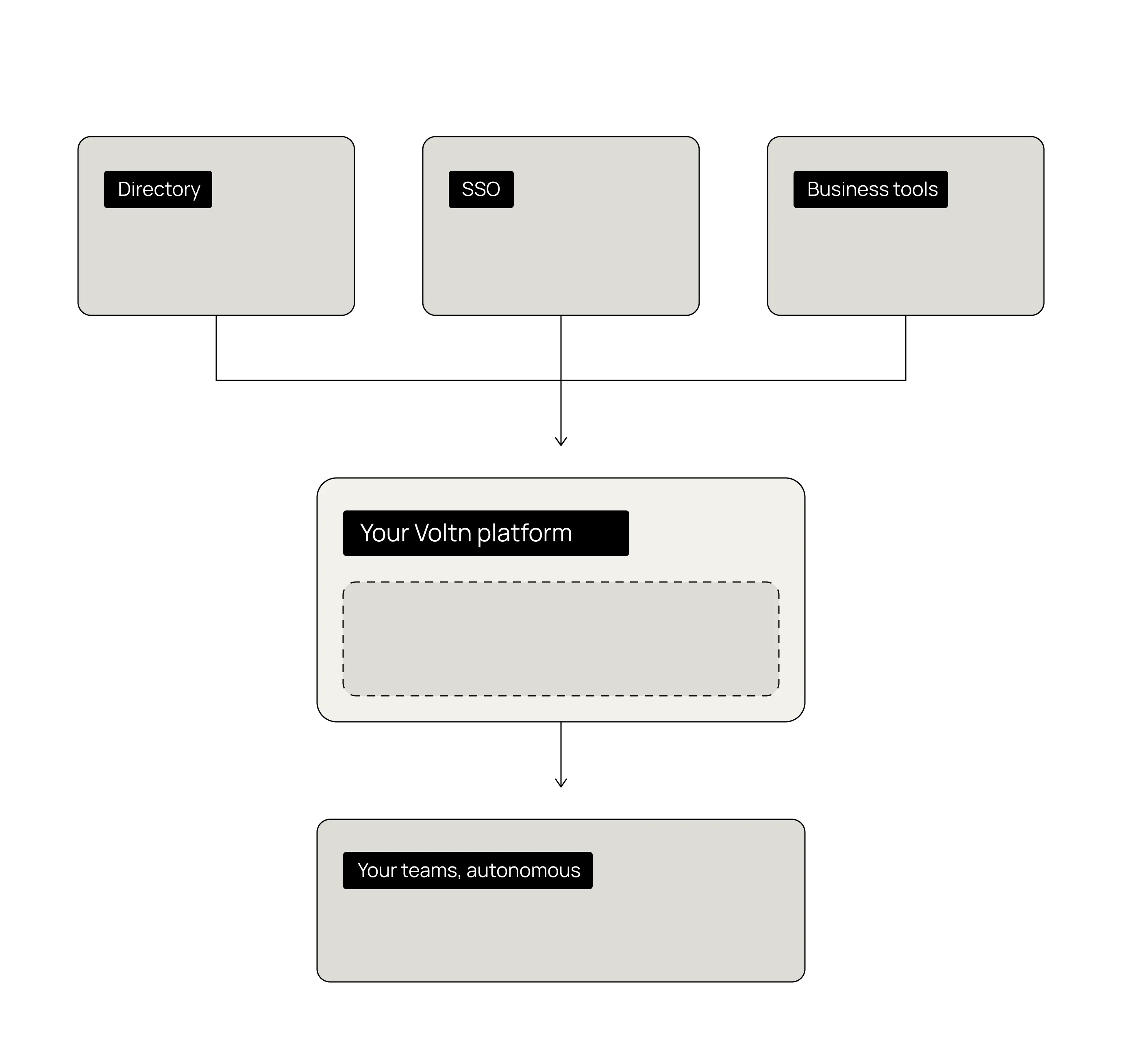
Deploy and connect the platform to your IT system
Directory, SSO, business tools.
Supporting you until your teams are fully up to speed.
Why choose Voltn Onboarding?
Description
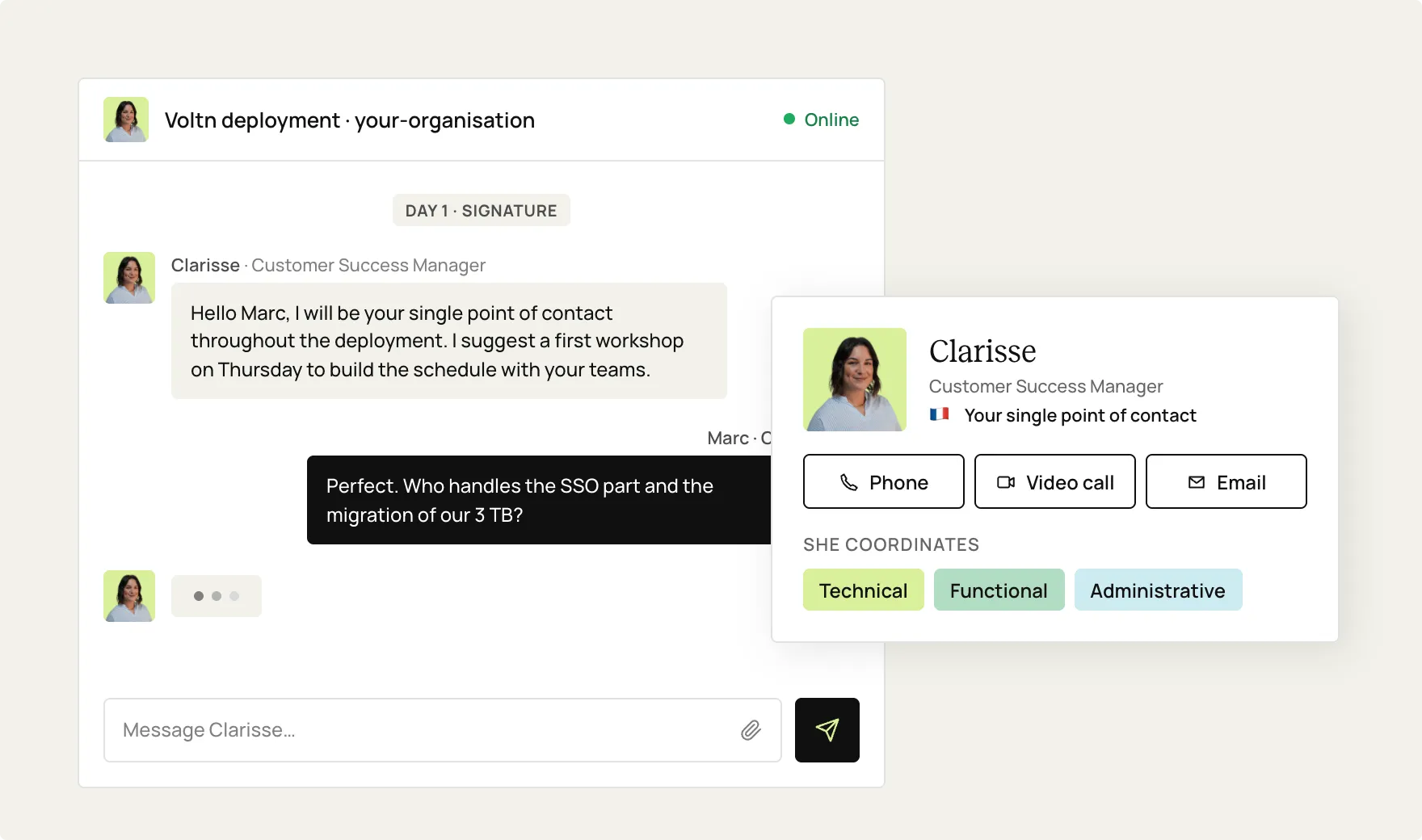
Upon signing, a Customer Success Manager becomes your single point of contact. They build the deployment schedule with your teams, coordinate technical, functional, and administrative tasks, and answer your questions directly throughout the project.
Usage
Organizations that prefer a dedicated point of contact over a support ticket.
Description
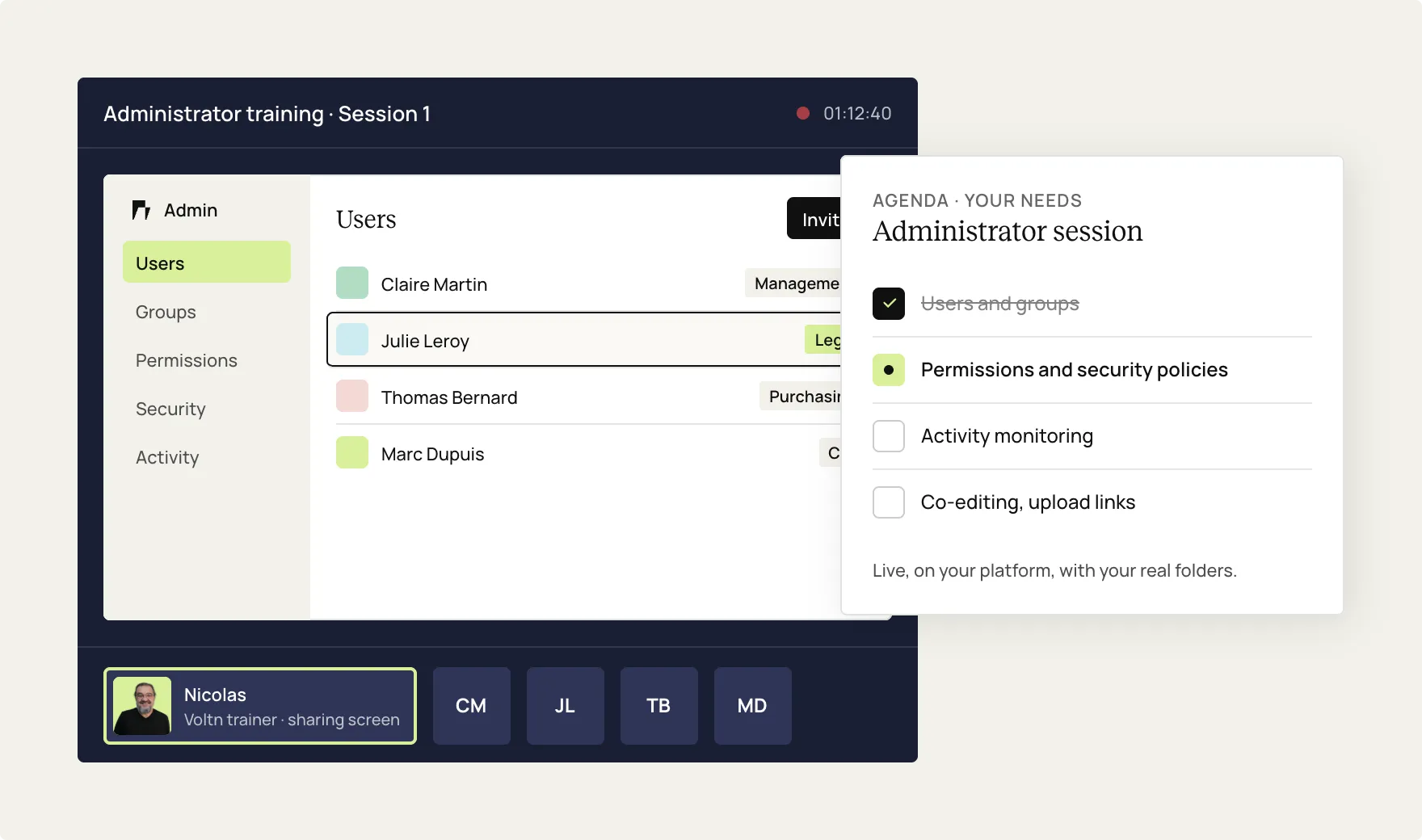
Your leads are trained directly by a Voltn instructor in a session tailored to your actual needs: user and group management, access rights and security policies, activity monitoring, and advanced features like co-editing or file request links.
Usage
Empower your administrators to be self-sufficient and capable of supporting their own teams.
Description
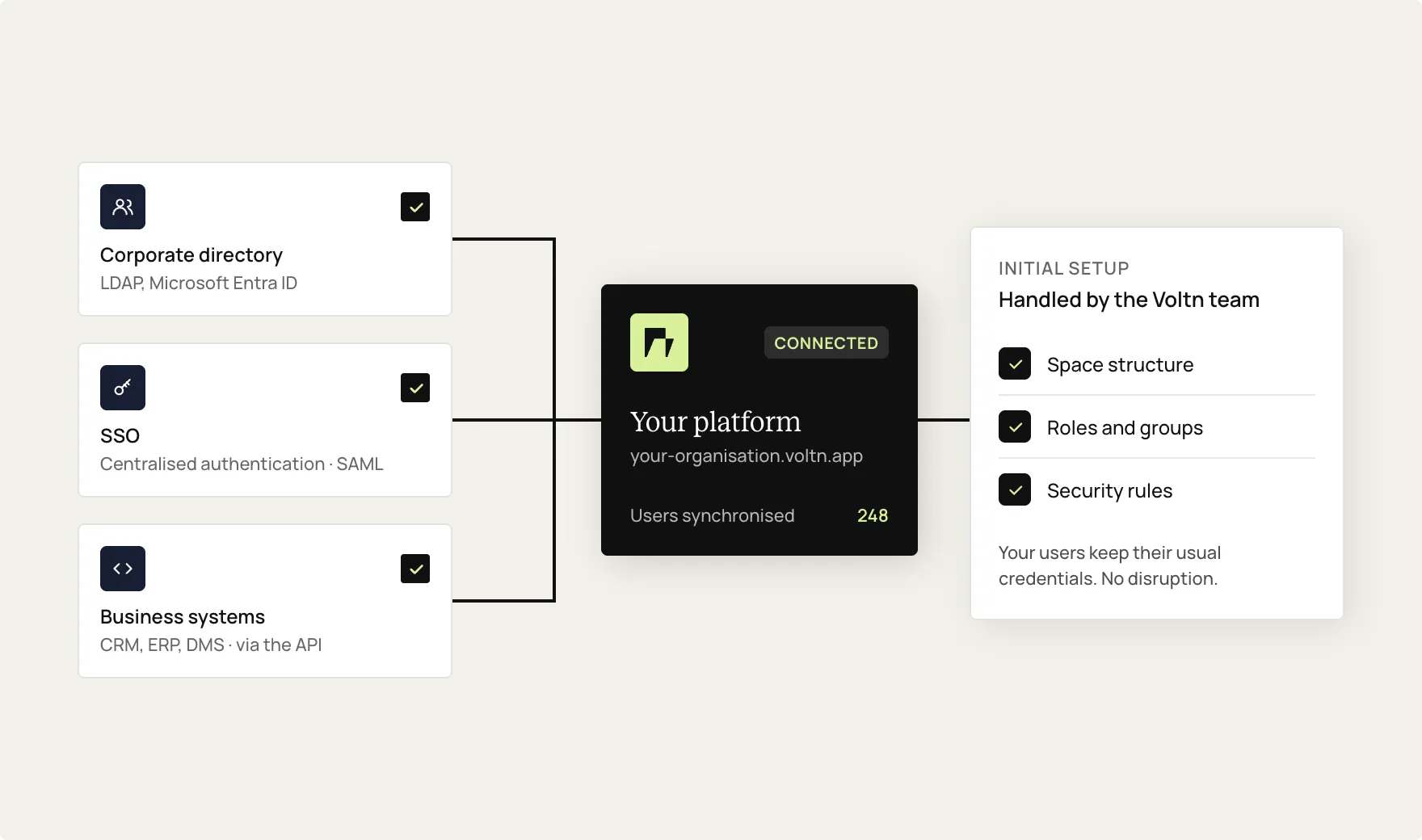
Space structure, roles, security rules: our team handles the initial configuration and connection to your internal tools, corporate directory (LDAP, Microsoft Entra ID), SSO for centralized authentication, and business systems via API.
Usage
Integrate the platform into your existing environment without disrupting users.
Marie Lot,
Customer Success Manager
"Our role goes beyond just installing the solution. We support you from the initial configuration, deploy alongside you, train your teams, and are fully committed to the success of your project."

Key benefits
Peace of mind
Managed deployment, with no surprises or lingering roadblocks.
Autonomy
Trained administrators capable of keeping the platform running.

Speed
Faster implementation guided by an expert who knows the way.
Adoption
Teams on board from day one, with no return to shadow IT.
Proximity
A French team, human-sized, that responds directly.
The support journey
1. Scoping and planning
Your dedicated expert assesses your needs and builds the deployment schedule with your teams.
2. Technical deployment
Workspace structure, permissions, security rules, and directory and SSO integration: your environment is configured alongside our team.
3. Administrator training
Your key users receive personalized training, led live by a Voltn trainer.
4. Support until autonomy
Regular check-ins, configuration adjustments, and usage tips: we move at your pace, then our ISO 9001 certified support team takes over.

Onboarding by situation


Getting started
You are deploying Voltn for the first time in your organization. Onboarding lays the groundwork: a workspace structure tailored to your business needs, precisely calibrated permissions from the start, and trained leads ready before users arrive.
without the need for post-launch fixes

Migration from an existing tool
You are moving from a consumer-grade solution or an existing suite to Voltn. Your dedicated expert prepares the migration with you: data and folder structure transfer, mapping of existing workflows, and a planned transition to ensure zero business interruption.
no business interruption

Multi-site & multi-department deployment
Groups, local authorities, and healthcare facilities: in distributed organizations, every site has its own points of contact and workflows. Onboarding coordinates everything, providing standardized training for administrators and local leads to ensure a consistent platform experience everywhere.
at the same level everywhere

User adoption
A platform that administrators use but teams ignore is useless. Onboarding can include presentation sessions for end users or business leads to establish good habits right from the start.
shadow IT that stays gone
Discover our extensions
Watermark
You won't regret this one.

Pricing
Voltn Onboarding
Sur devis, adapté à votre projet déploiement

Administrator training
Dedicated expert support (Customer Success Manager)
Technical deployment support
Custom project schedule
Coordination with your internal tools and processes
Alternatively, you can handle the deployment yourself.

FAQ
Will I receive support after onboarding is complete?

Yes. You will then have access to standard Voltn assistance through our ISO 9001-certified customer support team, available via email and phone.
Do I have to pay for onboarding for every new instance?
No. The onboarding option is activated only once, during the initial project launch. For major developments, such as a new site or a redesign, additional services are available upon request.
Are my end users trained?
Onboarding focuses on administrators. However, presentations for end users or business leads can be arranged upon request to encourage adoption.
Does the onboarding process include connecting to our information system?
Yes. The support covers connection to your corporate directory (LDAP, Microsoft Entra ID), SSO configuration for centralized authentication, and integration with your business systems via API.
What does the administrator training cover?
The session is built around your specific needs: creating and managing users and groups, configuring access rights and security policies, monitoring activity, and advanced features like co-editing or upload links.
Who will be my point of contact during the project?
A dedicated Customer Success Manager, assigned as soon as your contract is signed. They coordinate every stage of the deployment and remain your single point of contact until you are fully up to speed.
How long does the onboarding process take?
It depends on the complexity of your project. On average, the onboarding phase lasts between 1 and 3 months, with several scheduled meetings. We adapt the pace to fit your constraints.
What does the Onboarding option include?
It includes administrator training, guidance from a dedicated expert, and technical support for deploying the solution: setup, initial configuration, and integration with your internal tools.

But let's be honest, our cloud-based file storage and sharing solution is much easier.