

Quick reply
Real-time synchronisation on the desktop, automatic file locking and an offline mode: what the NetSync tool does for your teams day to day.



Alongside its web interface, NetExplorer has a real-time file synchronisation tool: NetSync. It synchronises users' files directly onto their desktop, according to their access rights. If you would rather not use the NetExplorer web platform, you can go through NetSync instead, and your folders will be available locally on your desktop.
Sign up to our monthly newsletter so you never miss a piece of digital news.
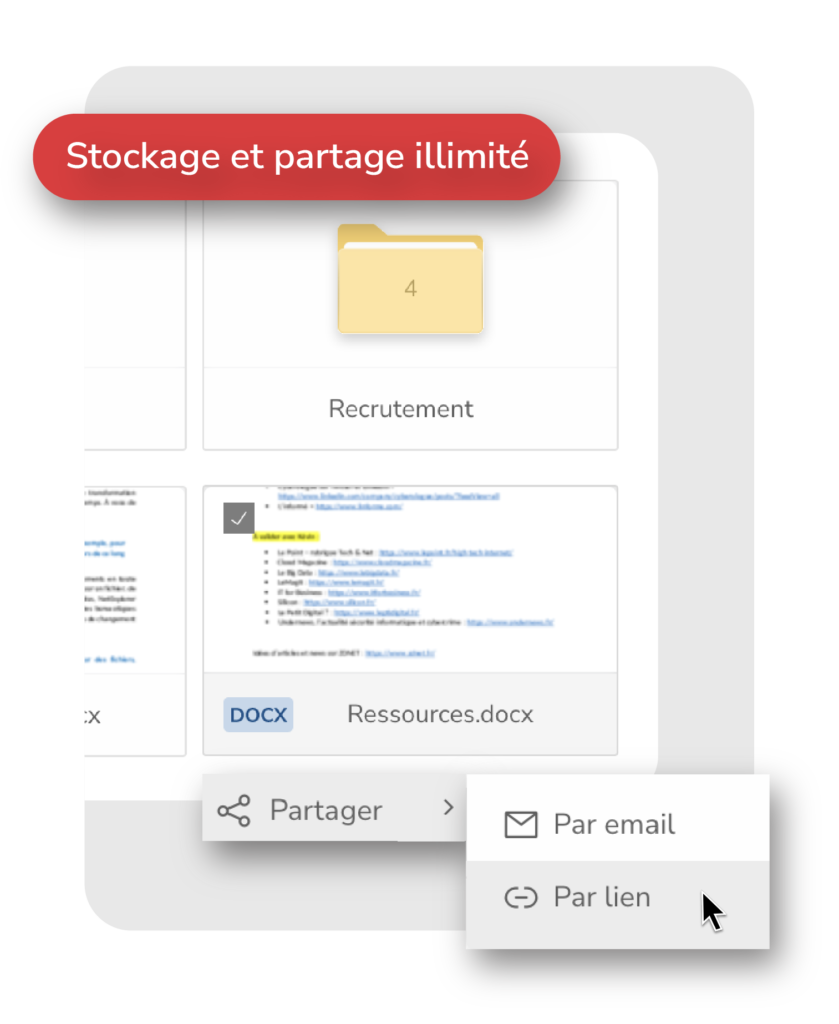
Work wherever you are
- Edit and share your files: with NetSync, you reach your synchronised folder or folders and edit them straight on your computer, without going through the web interface.
Keep the same habits you have in the interface and create download links and upload links by right-clicking any folder or document.
- Automatic locking: NetSync automatically locks a file while a user is editing it. That stops several people changing it at the same time, which would cause version conflicts and duplicates. Locking can also be done manually, which is handy if you want to work offline.
- Work offline: with NetSync, your files are available even without an internet connection. Useful when you are travelling for work. You can also lock in advance the documents you intend to change. They unlock and update for other users as soon as an internet connection is available again.
- Notifications: get told automatically and in real time as soon as a new document is available or a file has been updated on NetExplorer. Clicking a notification takes you to the folder holding the file or files concerned.
- Optimised synchronisation: with its block delta mode, NetSync synchronises your documents very quickly. It detects only the part of the file that has changed, so instead of synchronising the whole edited file, it spots and transmits only the modified block. Synchronisation ends up 5 to 10 times faster, your internet connection is less heavily used and data transfers are far smoother.
Quick and intuitive to get to grips with
Built to make life simpler for users, the NetSync synchronisation software integrates directly into your desktop. To make it easy to pick up, icons show you where each synchronisation process stands:
- Blue: document currently synchronising
- Green: document synchronised
- Grey : document locked
Keen to open your NetExplorer platform and use NetSync? Do not wait.
Try our solution free of charge: https://www.netexplorer.fr/demonstration
A demonstration of our NetSync tool
Download the tool:
- For Windows (Windows 7 and later)
- For Mac (Mac OS X 10.10 and later)
Other articles you might like
French sovereign cloud: secure hosting and storage in France
What sets a sovereign cloud apart from AWS or Azure, why the Cloud Act changes the picture and how to start migrating your IT.




But let's be honest, our cloud-based file storage and sharing solution is much easier.