
The end of SharePoint OTP: what changes for your external sharing?

Quick reply
Microsoft retires SPO OTP on 31 August 2026: the switch to Entra B2B, the impact on your sharing links and a checklist to work through.



The end of SharePoint OTP, or more specifically the SPO OTP mechanism, marks a significant shift for companies using SharePoint and OneDrive to share files with clients, partners, or contractors. Starting in 2026, Microsoft will gradually transition external sharing to Microsoft Entra B2B, adopting a more structured guest identity framework.
While this evolution strengthens access governance, it may also change user habits and create new constraints for ad-hoc external sharing.
What is SharePoint OTP?
SharePoint is a platform integrated into Microsoft 365. It allows companies to store, organize, classify, share, and co-author documents in a collaborative environment.
The One-Time Passcode is a single-use authentication system. In practice:
- An employee shares a SharePoint file with an external party, such as a client or supplier.
- The recipient receives a link via email.
- When they click the link, SharePoint asks them to verify their identity.
- They receive a temporary code via email.
- They enter this code.
- They can then access the shared file.
Until now, the One-Time Passcode system allowed someone outside the organization to access a document without necessarily having to create a full Microsoft account.
Key takeaway: Microsoft is not eliminating all OTP usage. What is changing is the legacy SPO OTP mechanism used for certain SharePoint and OneDrive external shares. External user authentication is gradually shifting to Microsoft Entra B2B, which uses a more structured guest identity framework.
What Microsoft is changing in 2026
Microsoft is gradually replacing the temporary code system with a guest identity framework. External recipients will be managed more like guest users in Microsoft Entra ID (formerly Azure AD).
May 2026: Gradual rollout for new invitations
Starting in May 2026, Microsoft will enable SharePoint and OneDrive integration with Microsoft Entra B2B for all tenants. Administrators will no longer be able to disable this behavior via current settings: the switch will be applied gradually by Microsoft.
July 2026: Risk of access denial for some existing links
Initial issues may arise during this period. External users without an Entra B2B guest account will no longer be able to access previously received links.
If you haven't planned ahead, you may face a wave of reports like "my external contractor can no longer access our shared documents."
August 2026: Full retirement of SPO OTP announced
Starting in July 2026, some external users who do not yet have a Microsoft Entra B2B guest account in the organization's directory may encounter access denials for previously shared content. The complete retirement of the SPO OTP mechanism is scheduled for August 31, 2026.
The concrete impacts on your external sharing.
1 - More controlled external access
With the transition to Microsoft Entra B2B, external access is no longer governed solely by a one-time code sent via email, but by a true guest identity management framework.
2 - A potentially less seamless experience
This change may disrupt established workflows. The requirement for a guest identity may add extra steps and make certain ad-hoc shares less seamless for external recipients. Without alternatives, users may turn to consumer-grade solutions like WeTransfer, which are rarely approved by IT departments.
3 - Existing sharing links must be audited
Companies will need to audit their existing links and identify external users who do not yet have a Microsoft Entra B2B guest account.
4 - Increased workload for IT departments
IT departments will likely need to manage guest accounts, their permissions, and inactive external access.
What companies need to verify now
- Identify files and folders shared with external parties.
- Check existing sharing links.
- Locate external users without guest accounts.
- Define a clear external sharing policy.
- Inform business teams.
- Review cases where SharePoint is used merely as a file-sending tool.
Sharing a file is not always collaborating: the limitations of SharePoint for certain external use cases
SharePoint remains a relevant tool for collaboration within Microsoft 365.
However, for one-off sharing with external partners, it is not the most suitable solution. Here are 4 questions to ask yourself to determine if SharePoint is the right tool for your exchanges:
- Does the recipient just need to access the file?
If the goal is simply to send a document to a client, supplier, or service provider, the access process must remain seamless. The more steps, account creations, or validations required, the higher the risk of friction.
- Does the company need to track downloads?
In some cases, knowing that a file has been sent is not enough. The company must be able to verify whether the document has actually been viewed or downloaded, particularly for contractual, administrative, HR, financial, or sensitive documents.
- Should the link expire automatically?
A sharing link should not remain active indefinitely. To limit risks, it is best to set a clear access duration, especially when the file is intended for one-time use.
- Does the document contain sensitive data?
The more sensitive the content, the stricter the requirements should be: access control, traceability, download limitations, sovereign hosting, GDPR compliance, etc.
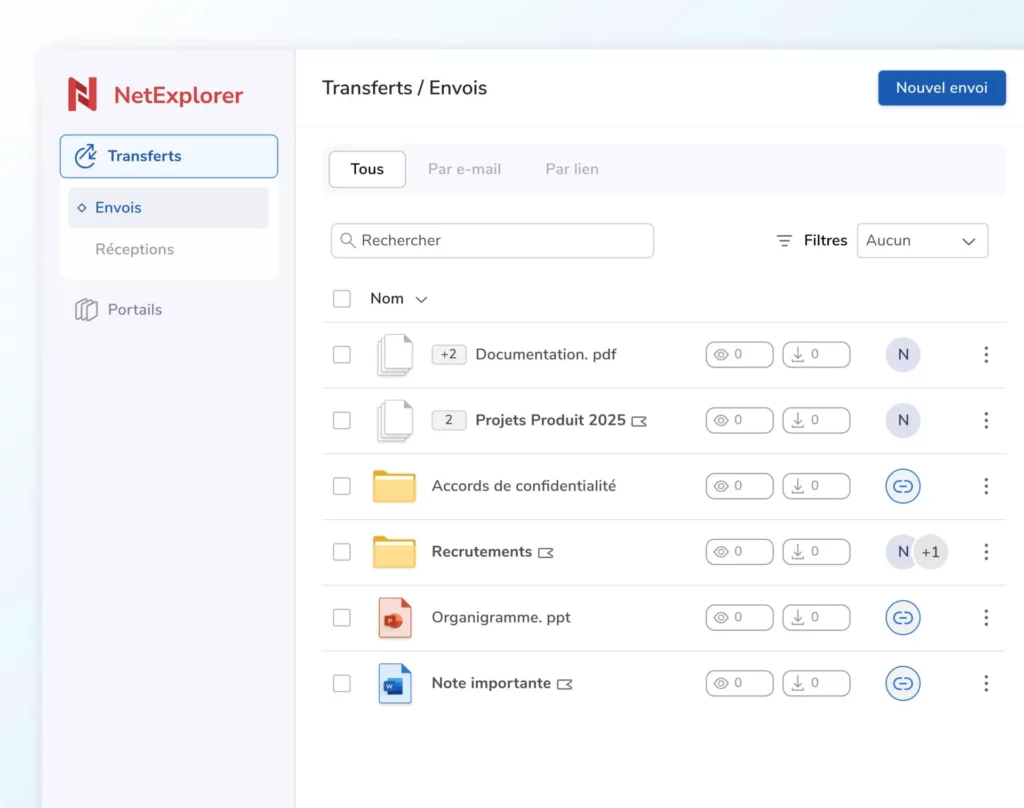
If you answered “yes” to several of these questions, external sharing should not be treated as a simple link transfer. It becomes a matter of security, compliance, and document control. This is precisely where a dedicated solution like NetExplorer Share makes perfect sense.
Towards simpler, more controlled, and better-tracked external sharing
The end of SharePoint OTP highlights a reality that is often underestimated: sharing a file with a third party should not force a company to choose between security and ease of useIn many cases, the need is very practical: sharing a sensitive document with a client, service provider, partner, or auditor while maintaining full control over access.
This is precisely the role of a dedicated solution like NetExplorer Share. Rather than complicating the recipient's experience with guest accounts or identity management, NetExplorer Share allows you to create a secure sharing link that is simple for external users to access, yet remains fully controlled by your company.
The sender can set an expiration date so that the link does not remain active indefinitely. They can also protect access with a password, restrict document usage with single-download, or receive a download notification to know exactly when the file has been retrieved. These features are particularly useful for contractual, financial, HR, or legal documents, as well as any files containing sensitive data.
Beyond the user experience, NetExplorer Share also meets the requirements of IT and security teams: all shares are tracked, access remains controlled, and files are hosted in a sovereign environment, meeting organizational expectations for security, privacy, and regulatory compliance.
The goal is not to replace all collaborative uses of SharePoint, but to offer an approach better suited for occasional or sensitive external sharing: simple for the recipient, controlled for the company, and transparent for IT.
FAQ
Microsoft is not removing all OTP mechanisms in Entra ID, but is phasing out the legacy SPO OTP authentication method used for certain SharePoint and OneDrive external shares. Sharing is transitioning to Microsoft Entra B2B.
Yes, but only in certain cases. Microsoft indicates that guests retain access to files shared before the integration if they have a Microsoft Entra B2B guest account in the directory. Otherwise, they may encounter access denied errors.
SharePoint OTP allowed for temporary email-based verification. Entra B2B registers the external user within a guest identity framework, creating a user object in the directory and enabling more advanced governance policies.
Yes, it can improve governance, the application of conditional access policies, and guest lifecycle management. However, it also requires rigorous administration of external accounts.
A dedicated secure sharing solution allows you to maintain a simple experience for the recipient while keeping control over access, expirations, downloads, and traceability.
Resources
Microsoft FAQ: https://learn.microsoft.com/en-us/sharepoint/faqs-odspintegrationwithentrab2b
Other articles you might like
How to exchange health data securely
Sharing with colleagues, labs and patients: the guarantees to demand from any channel carrying data covered by medical confidentiality.




But let's be honest, our cloud-based file storage and sharing solution is much easier.