

Quick reply
Updates, encryption, network segmentation, access management, backups and an incident response plan: six fronts to hold against attacks.



Intersport, SNCF, France Travail, Engie, Simone Veil Hospital... What do these organisations have in common? Every one of them has suffered one or more attacks since the start of the year.
Our recent article on the 10 cyberattacks that have already marked 2024 shows clearly that every sector is vulnerable to cybercrime.
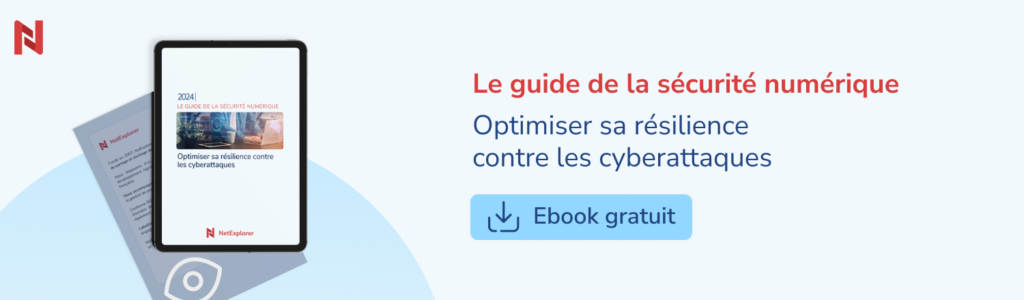
To help organisations strengthen their cybersecurity resilience, our teams have put their expertise into a comprehensive ebook.
Drawing on recent cyberattack trends and the most common human errors, we offer concrete answers: practical tools for preventing security incidents, but also for detecting them and responding to them effectively.
To improve your resilience against cyberattacks, choosing highly secure, certified software and services is essential.
1. Securing systems
Keeping software and systems up to date is crucial to avoiding vulnerabilities. Regular updates and patch management close known security holes, and so head off potential attacks. Sound configuration, particularly disabling unnecessary services and setting up firewalls, also reduces the attack surface.
At NetExplorer, separating storage for personal and company data ensures optimal security, reinforced by the use of a unique token and a partitioned cloud.
2. Protecting sensitive data
Encrypting data, both in transit and at rest, is essential to its security. Protocols such as TLS secure communications, while digital certificates guarantee that exchanges are authentic.
At NetExplorer, all data is encrypted using AES, backed by anti-virus and anti-ransomware scanning. Access to data is secured by HTTPS on port 443, offering greater protection against malicious use.
To go further, you can assess how robust your own security protocol is with this free tool: https://www.ssllabs.com/
3. Network security
Firewalls and VPNs are essential for filtering traffic and securing remote communications. Network segmentation also limits how far an attack can spread, keeping it contained within specific zones.
Thanks to its segmented networks, which stop your data being reached from the internet, and its detection system, NetExplorer blocks intrusion attempts.
4. Identity and access management
Strong authentication and the use of password managers make for better security.
A strict password policy is equally essential, covering complex passwords, regular renewal and a ban on reusing old values.
France's cybersecurity agency ANSSI publishes recommendations for good password management practice, available here.
NetExplorer makes access rights easier to manage through an audit system, and supports technologies such as SSO, SAML 2.0 and OpenID Connect, giving users a single unified experience.
5. Backup and traceability
Regular, secure backups are essential to preventing data loss. A complete backup strategy, including incremental and differential backups, minimises recovery time and maximises protection. Off-site storage, in the cloud in particular, guarantees geographical redundancy and so adds further protection against disasters.
6. Incident response plan
A well-designed incident response plan is vital to handling cyberattacks effectively. It should set out clear procedures for detecting, containing and eradicating an incident, and for recovering afterwards. Deploying security event management tools and organising incident response teams strengthens your ability to react quickly and effectively.
Want to know more? Download our ebook free of charge and get a complete cybersecurity strategy to protect your organisation effectively against cyberattacks.
Other articles you might like
Strengthening your resilience against cyberattacks
Ransomware and human error: the technical and organisational levers that build resilience and let you react quickly after an incident.





But let's be honest, our cloud-based file storage and sharing solution is much easier.